Backends
Java backends, module backends, dedicated IPs and PROXY protocol — the Backends page in detail.
A backend is one of your real servers behind Infinity-Filter. Backends come in two shapes:
- Java backends — your Minecraft proxy or directly your Spigot/Paper server, addressed as
ip:port. - Module backends — Geyser, PlasmoVoice, SimpleVoiceChat or Votifier, each exposed as a dedicated module that runs on top of a dedicated IP.
Where to find it
Open Network → Backends.
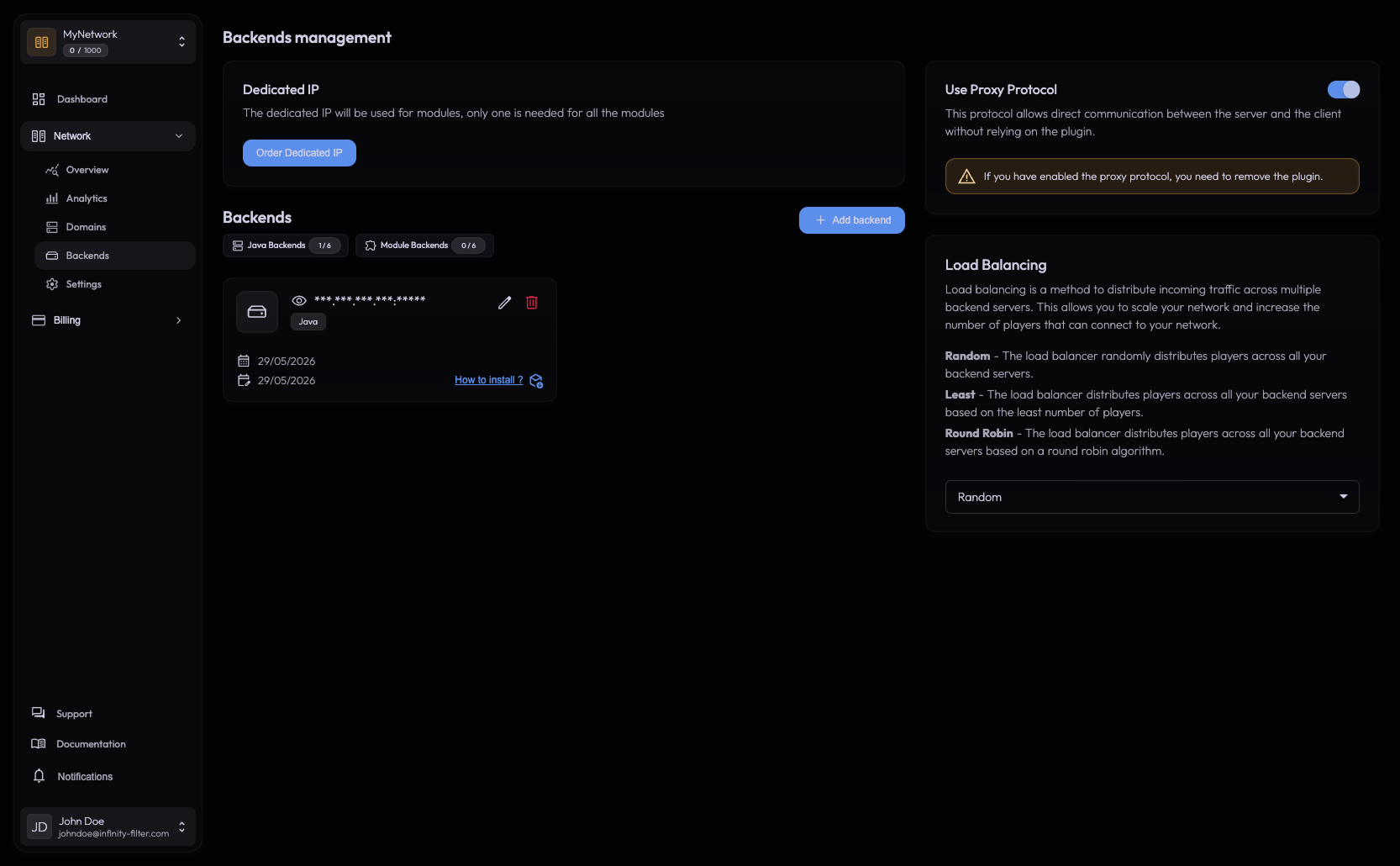
Top of the page:
- A Dedicated IP card — status if you’ve ordered one, otherwise an Order Dedicated IP button.
- Two filter chips: Java Backends and Module Backends with quotas like
2 / 5. - An Add backend button.
Java and module backends are mixed in the list and filtered via the chips.
Right-hand panel:
- PROXY protocol toggle (with the Forward plugin download + per-network token when off).
- Load balancing mode select.
Adding a Java backend
Click Add backend → pick Java → enter ip:port and a label.
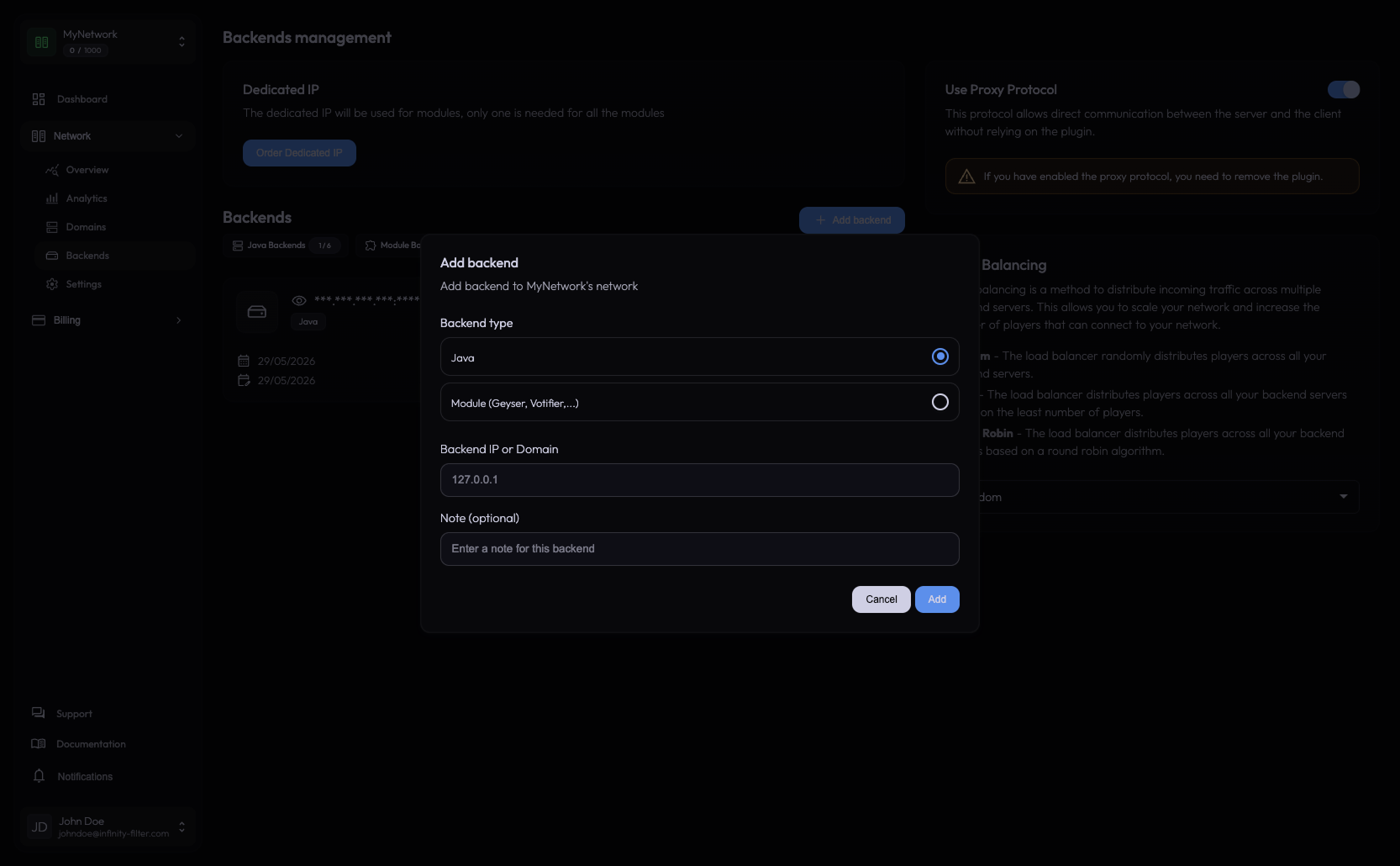
- IPv4:
203.0.113.10:25565 - IPv6:
[fd42:42:42::1]:25565
Both work for Java and Geyser backends.
Adding a module backend
Click Add backend → pick a module type from the dropdown:
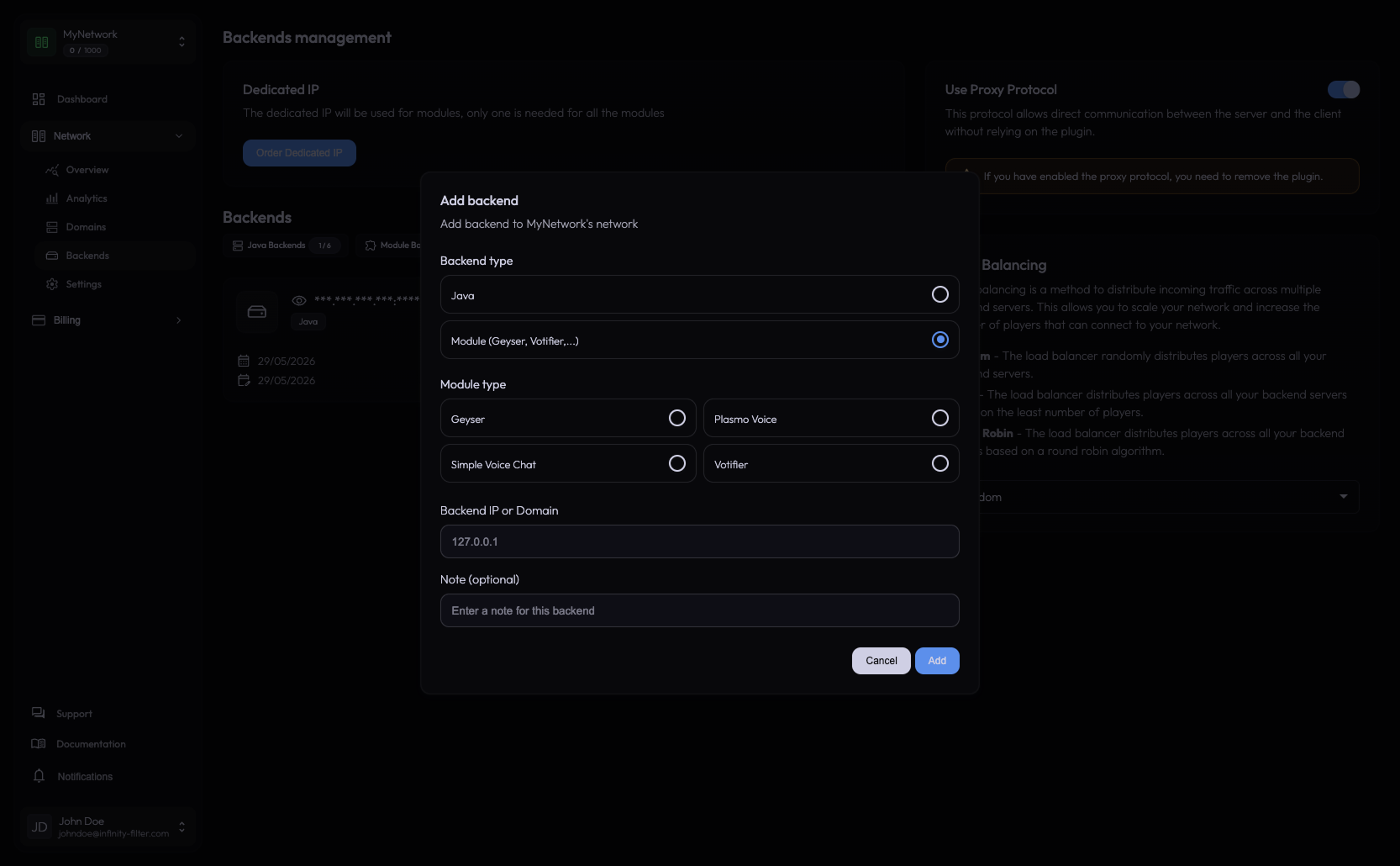
- Geyser — Bedrock players via Geyser. Requires a dedicated IP. See Geyser integration.
- PlasmoVoice — voice chat via PlasmoVoice. Requires a dedicated IP. See PlasmoVoice integration.
- SimpleVoiceChat — voice chat via SimpleVoiceChat. Requires a dedicated IP. See SimpleVoiceChat integration.
- Votifier — vote receipts through Infinity-Filter, hiding the backend IP from voting sites. Requires a dedicated IP. See Votifier integration.
Backend cards
Each entry in the list shows the backend’s type, address, label, and an edit/delete action.
For Java backends, there’s an additional MOTD indicator: only the first backend in the list is queried for MOTD, and all domains share it.
Real-IP forwarding
To make your backend see the real player IP instead of the Infinity-Filter edge, pick one of two mutually exclusive mechanisms:
- PROXY protocol (recommended) — toggle on the right-hand panel + a one-line flag in your proxy software.
- Infinity-Filter plugin — drop the plugin JAR into your backend’s
plugins/folder with a per-network token.
Load balancing
Available on Pro plan and above. When you have multiple Java backends, the Load balancing select on the right-hand panel controls how new players are distributed.
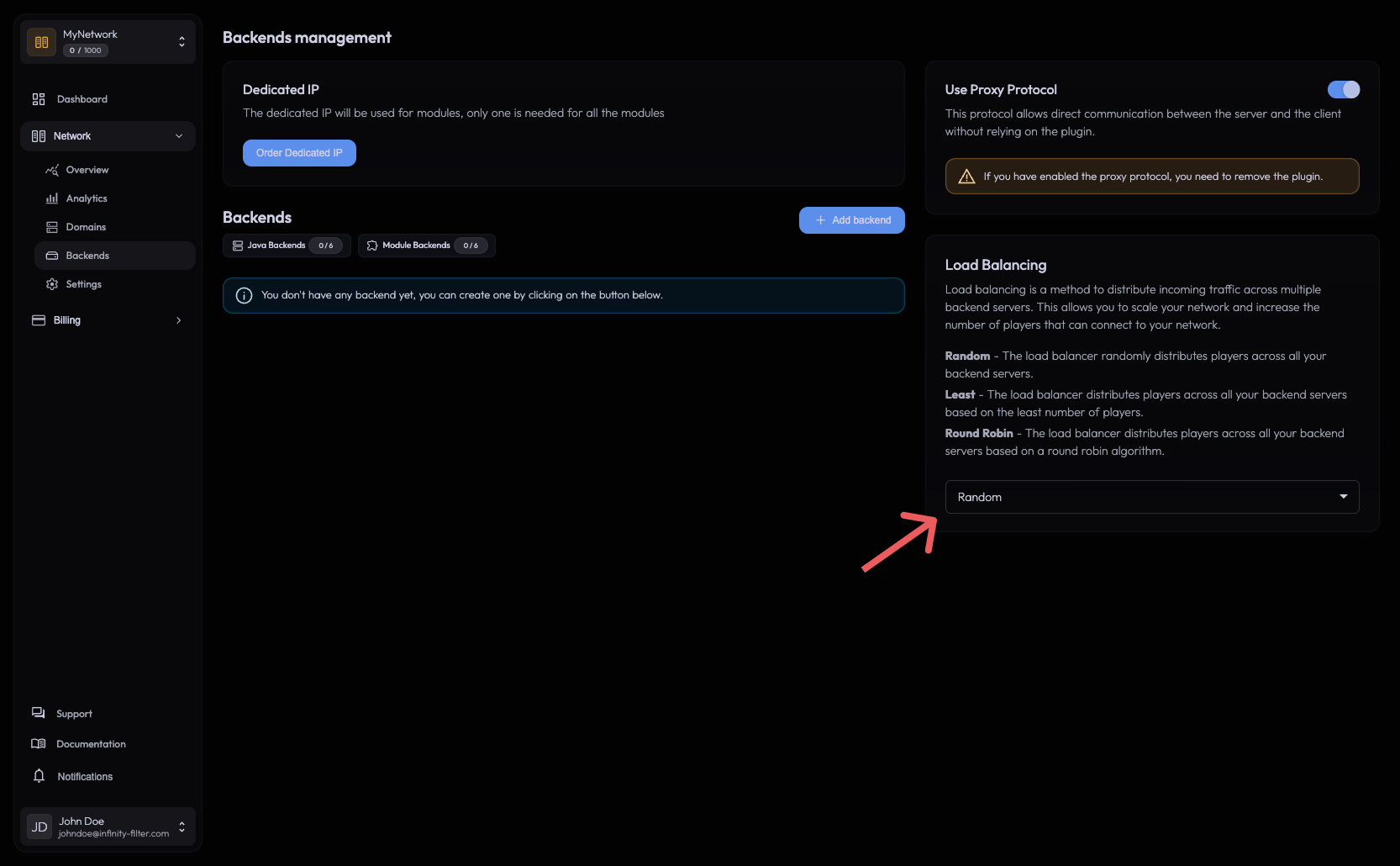
| Mode | What it does |
|---|---|
| Random | Each new player goes to a random backend. |
| Least | Each new player goes to the backend with the lowest current player count. |
| Round Robin | Each new player goes to the next backend in order. |
Fault-tolerance is automatic. If a backend stops accepting connections, new players are routed to the remaining healthy backends. Existing connections are preserved on their current backend during a rotation — players already on backend A don’t get bounced when backend B comes back.
See Load balancing for the rules and the per-mode trade-offs.
Deleting a backend
Click the delete icon. Existing players on that backend keep their connection until they disconnect — only new connections route to the remaining backends.
Dedicated IP
The dedicated-IP card at the top of the page is the entry point for Bedrock / Geyser / voice. See Dedicated IPs.
Plan limits
The chips above the list (2 / 5 Java, 1 / 3 Module) show your plan quota. To raise the limit, open Billing → Plans.
What’s next
Last updated: May 28, 2026