Load balancing
Distribute players across multiple backends, with automatic fault tolerance.
When you attach more than one Java backend to a network, Infinity-Filter distributes new players across them. The strategy is configurable: Random, Least, or Round Robin. Fault tolerance is automatic.
Where to find it
Open Network → Backends. On the right-hand panel, the Load balancing select shows the current mode.
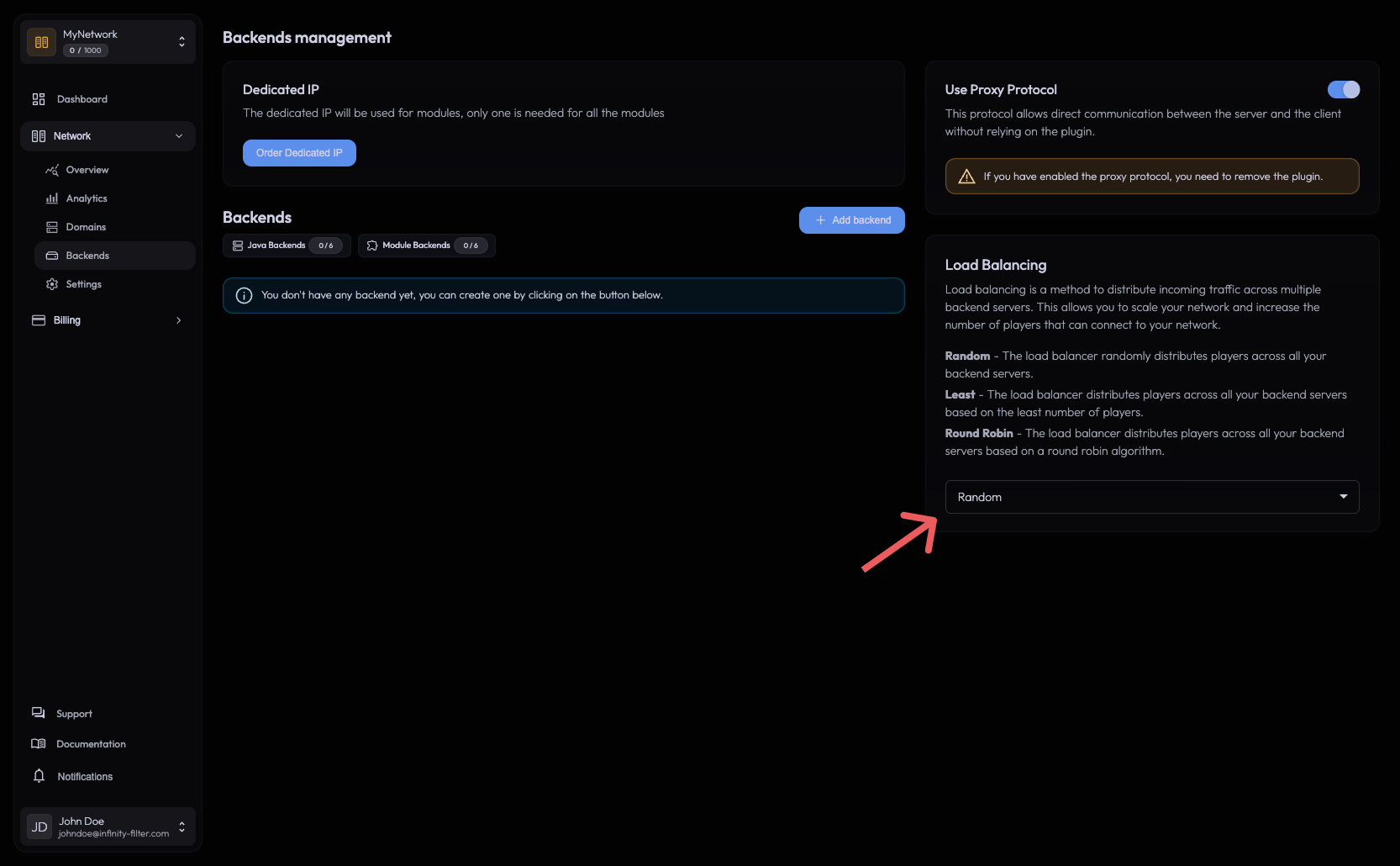
The three modes
Random — each new player goes to a random backend.
Best when:
- All backends have similar capacity.
- You want minimal moving parts.
Trade-off: short-term hot-spots are possible (a streak of “lucky” players landing on the same backend).
Least — each new player goes to the backend with the lowest current player count.
Best when:
- Backends have different capacities and you want the smallest one to fill last.
- You expect long sessions and want each backend to fill evenly over time.
Trade-off: slightly higher CPU on the edge to track per-backend counts.
Round Robin — each new player goes to the next backend in order.
Best when:
- You want maximally even distribution regardless of session length.
- All backends are identical.
Trade-off: doesn’t react to player counts; a backend with many long sessions stays busy.
How a single domain routes
Domains in a network do not map to specific backends. A single domain (play.example.com) load-balances across every backend in the Backends list. If you want a specific domain to land on a specific backend, create a separate network.
Fault tolerance
The edge continuously probes each backend’s reachability. When a backend stops accepting connections:
New connections Routed only to remaining healthy backends. The dead backend is taken out of the rotation automatically.
Existing connections Preserved on their current backend. If the player's backend is the one that died, the player drops — but a normal reconnect lands on a healthy backend.
Backend recovery When the backend starts answering again, it's re-added to the rotation. Existing players on other backends are not migrated.
MOTD with multiple backends
Only the first backend in the Backends list is queried for the MOTD. Reorder the list (if the panel supports it) or design your backends so the first entry is the one with the canonical MOTD.
If the first backend is down, the MOTD shows the offline MOTD if you’ve configured it on the General settings tab — even though other backends are healthy and could accept players. This is intentional: the MOTD source is single, the play traffic is load-balanced.
”Players can only join one of several backends” — common pitfall
If you observe that one backend gets all the players and the others are skipped:
- The other backends’ ports are likely closed. Infinity-Filter only routes to backends it can reach. Verify with an external port checker that every backend’s Minecraft port is open and listening.
- Real-IP forwarding mismatch. If one backend has PROXY protocol on and the others don’t, the ones expecting raw connections will drop them.
Both look like “routing is broken” but are server-side issues.
Backend lifecycle and load balancing
- Adding a backend — the new backend enters the rotation immediately for new connections.
- Removing a backend — existing players on it stay until they disconnect; new players go to the rest.
- Restarting a backend — drops its existing players; the load balancer takes it out of the rotation during the restart and re-adds it when it answers again.
What’s next
Last updated: May 28, 2026