Whitelist
Per-IP and per-ASN allowlist that bypasses every filtering layer — anti-bot, Anti-VPN, Country, ASN.
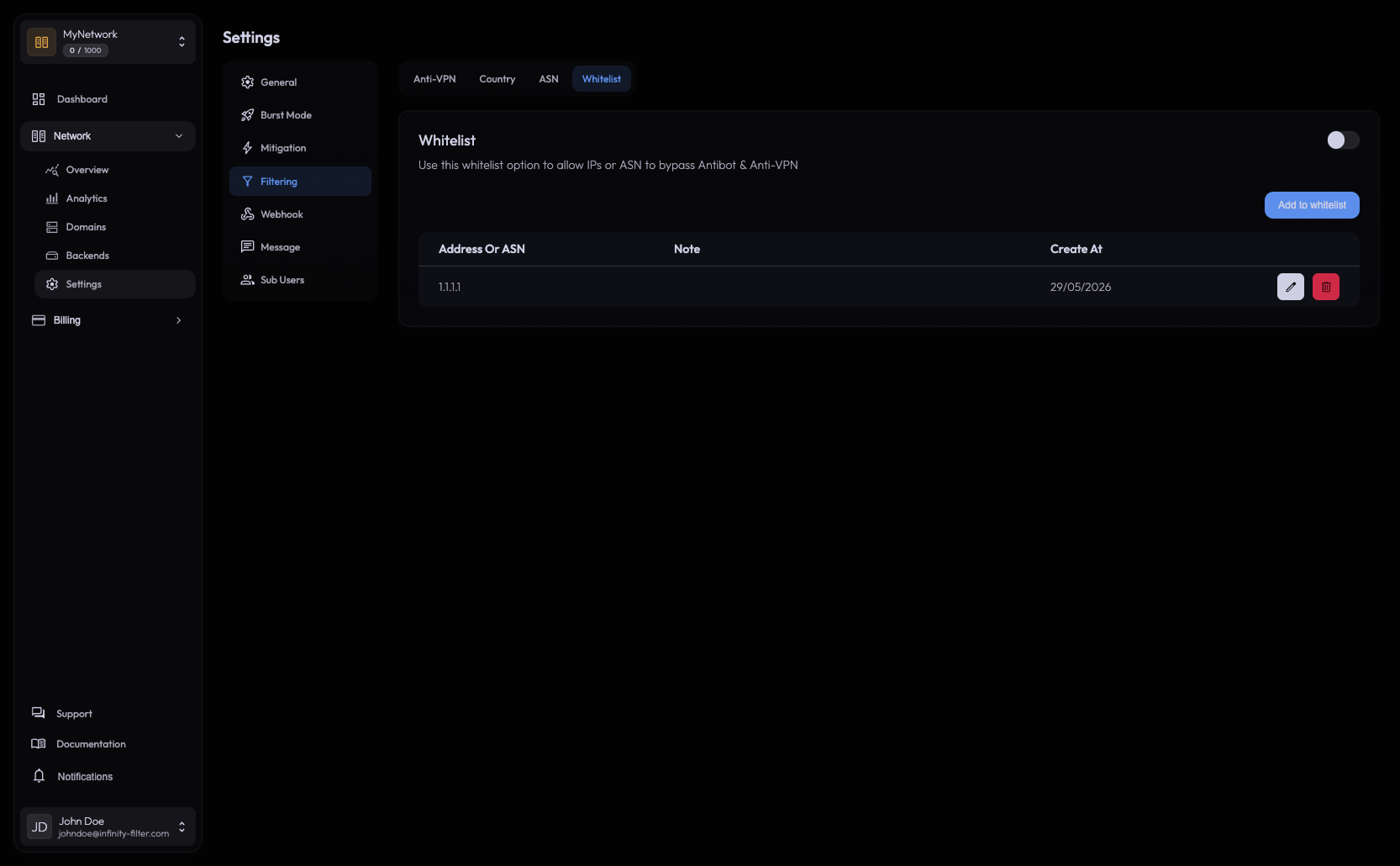
The Whitelist is a per-IP and per-ASN bypass list. Entries on this list skip every filtering layer — anti-bot, Anti-VPN, Country filter, ASN filter — and connect straight through to your backend.
Where to find it
Open Network → Settings → Filtering → Whitelist.
What it bypasses
A whitelisted IP or ASN is exempt from:
- Anti-bot challenges (no rejoin prompt, no Hardcore web verification).
- Anti-VPN detection — the IP is accepted even if it sits in a known VPN range.
- Country filter — the IP connects regardless of the country list.
- ASN filter — the IP connects regardless of ASN block rules.
What it does not bypass:
- L3/L4 mitigation at the edge — volumetric floods are still dropped before they reach the application layer, for everyone.
- Per-IP rate limits that protect against single-source packet floods.
When to add an entry
- A staff member whose IP keeps getting flagged by Anti-VPN or Country.
- A specific player whose home ISP is on the ASN block list.
- An entire ISP / hoster you want to keep accepted even when you tighten the filters — whitelist its ASN.
Adding an IP
Type an IPv4 or IPv6 address and confirm — e.g. 203.0.113.10 or [2001:db8::1]. The list accepts plain IPs; CIDR notation is not currently supported.
Adding an ASN
Type the ASN number without the AS prefix and confirm. For OVH (AS16276) you’d type 16276, for Amazon AWS 16509, for DigitalOcean 14061, and so on.
Whitelisting an ASN exempts every IP in that autonomous system from the filters — useful to keep a whole ISP trusted without listing every customer IP.
Removing entries
Click the delete icon on the row. The change is immediate; existing connections from the affected IPs aren’t dropped.
What’s next
Last updated: May 29, 2026