Infinity-Filter API
Generate an API token from the panel and explore the endpoints in our public Postman workspace.
The Infinity-Filter public REST API lets you manage networks, domains, backends, sub-users and read analytics programmatically.
Generate an API token
Token creation lives under your user settings. Three steps:
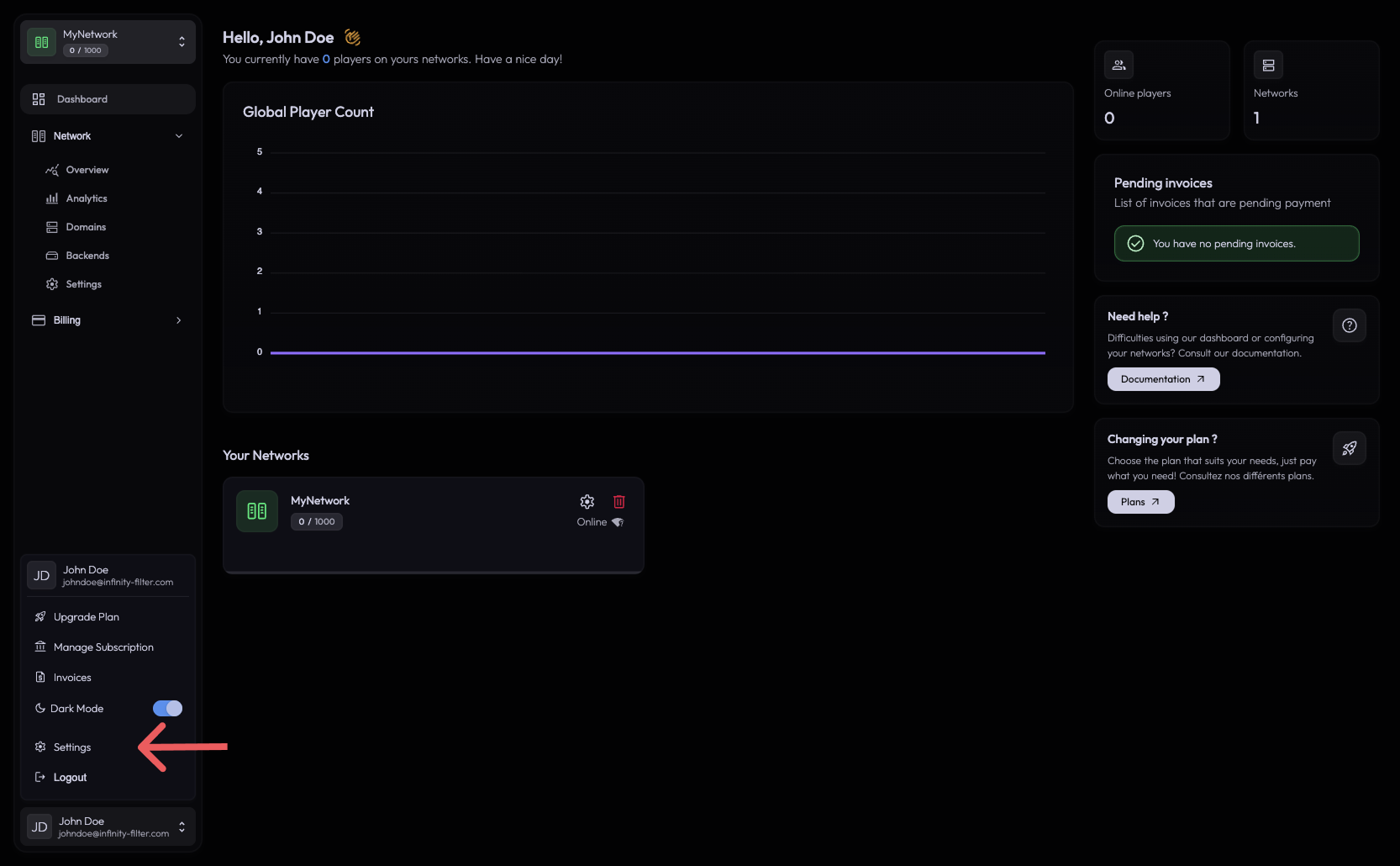
1. Open your user settings
Click your profile button at the bottom of the sidebar to open the profile popover, then click Settings.
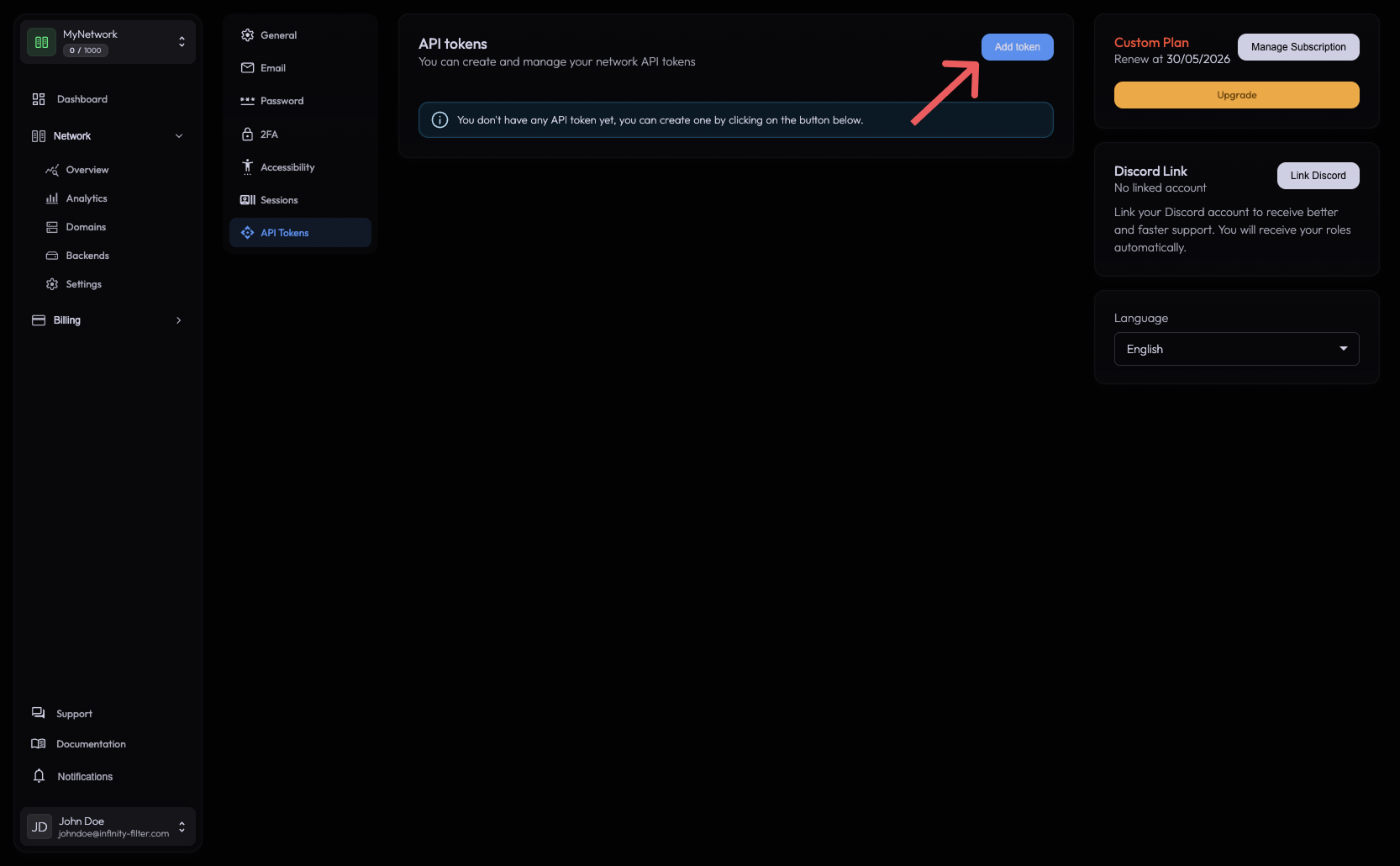
2. Go to the API Tokens tab
In the vertical settings nav, pick API Tokens. If you haven’t created one yet, you’ll see an empty state explaining that you can create a token by clicking the Add token button in the top-right.
3. Pick the token’s permissions
The Add a API Token dialog opens with a permissions matrix. For each resource (Network, SubUsers, Domains, Backends), tick the verbs you want the token to be allowed to perform (Read, Write, Create, Delete).
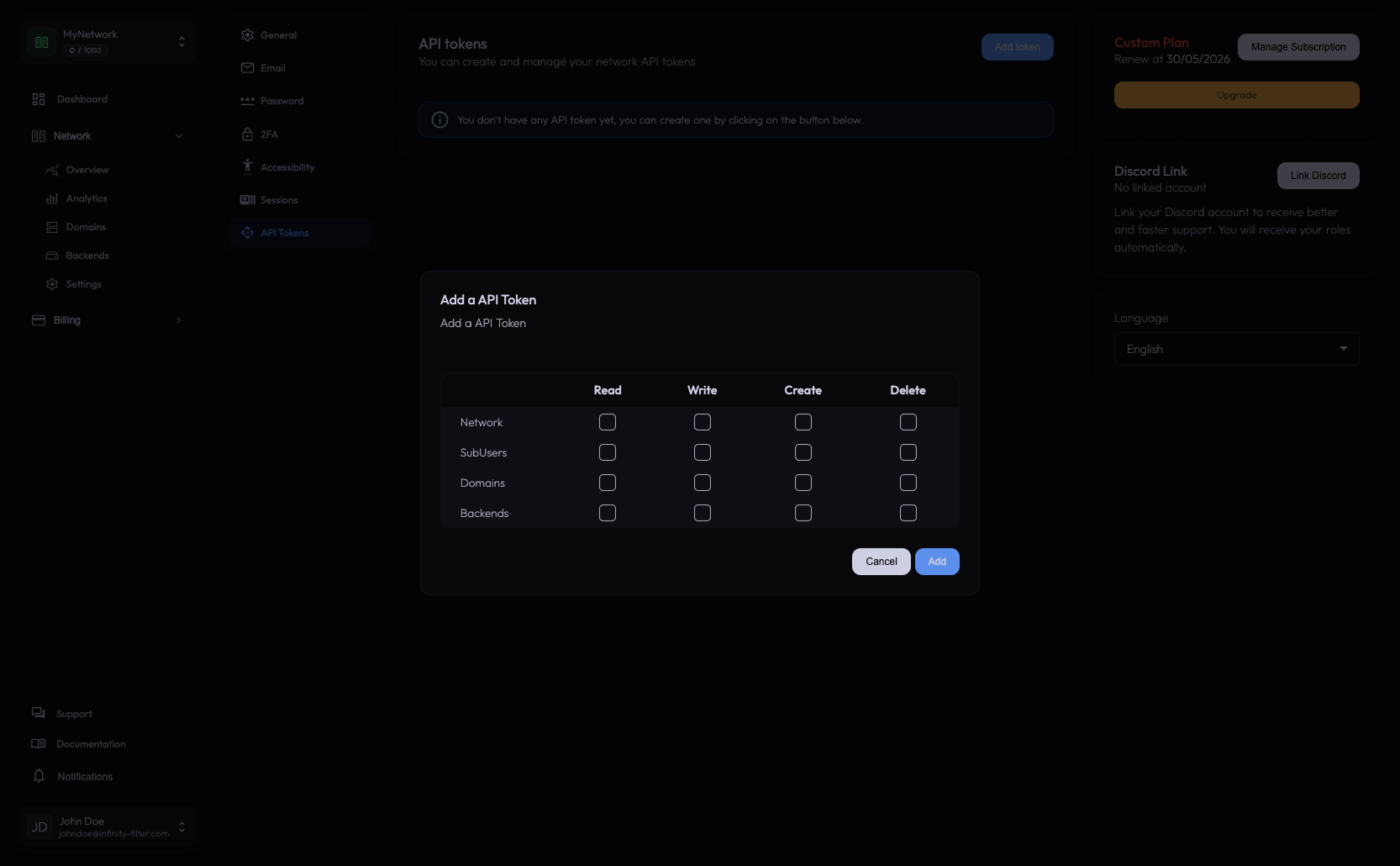
Read List and fetch resources. Safe to grant to read-only integrations (Grafana, monitoring, dashboards).
Write Update existing resources — e.g. change a network setting, swap a backend address.
Create Create new resources (a new domain, a new backend, …).
Delete Remove resources. Pair with Read so the integration can confirm what it just deleted.
Confirm with Add to generate the token. The token value is shown once — copy it immediately into a secret manager.
Using the token
Pass it in the Authorization header on every request:
API documentation on Postman
The full reference — every endpoint, its parameters, and live response examples — lives in our public Postman workspace. It’s the canonical doc for the API itself; this page only covers token creation and usage.
Last updated: May 29, 2026