Getting started
Account setup
Secure your Infinity-Filter account with 2FA and link your Discord.
Before you set up your first network, take two minutes to harden your account.
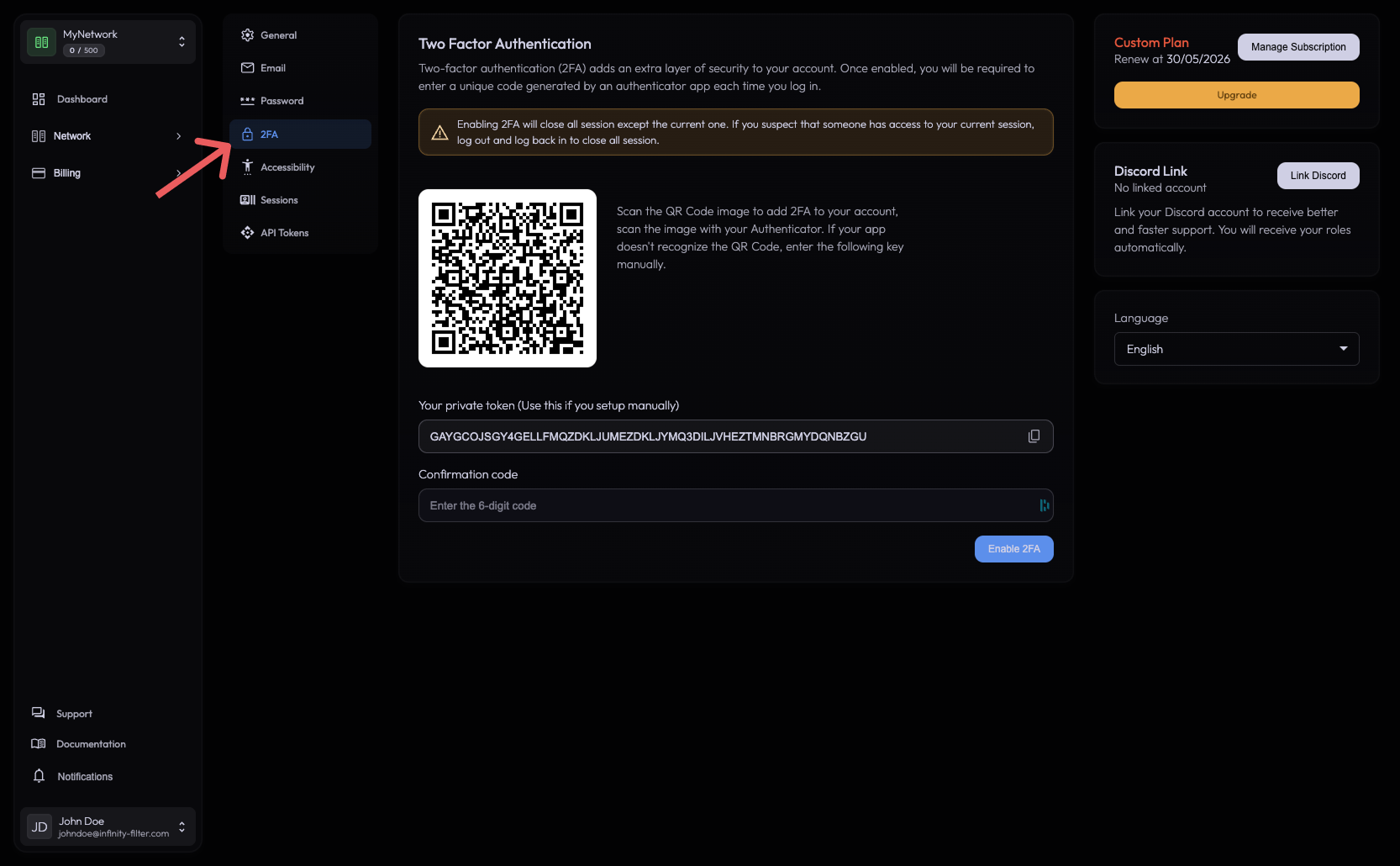
Enable two-factor authentication
Open the user popover at the bottom of the sidebar → Settings → 2FA. Scan the QR code with your authenticator app (Google Authenticator, 1Password, Authy, …) and confirm the 6-digit code.
Link your Discord account
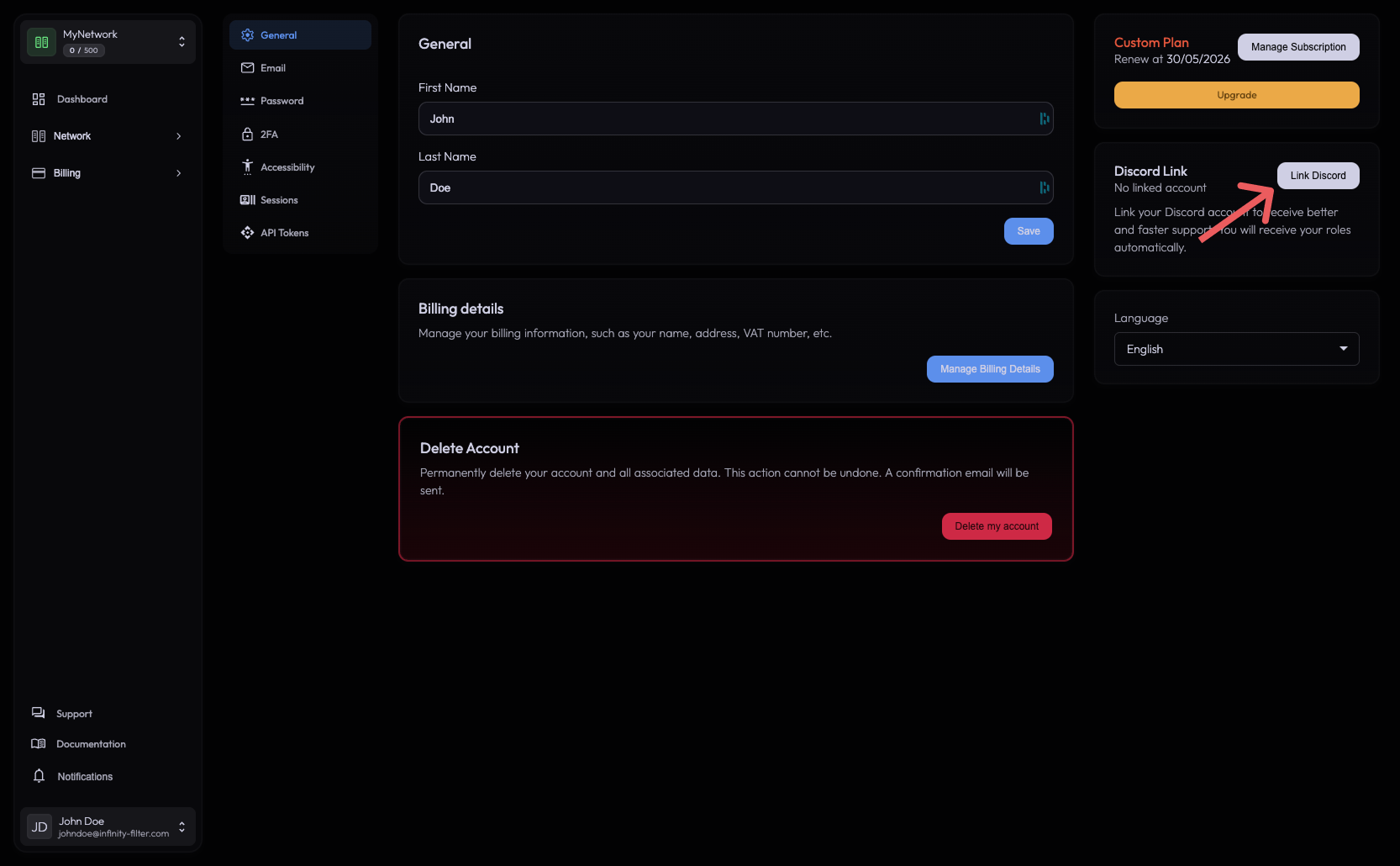
Linking Discord lets our support bot recognize you automatically when you open a ticket or ask the LLM agent in #support. It also enables Discord-based notifications later.
Open User → General → Discord account link and click Link. You’ll be redirected to Discord to authorize.
Ready for your first network
Last updated: May 28, 2026