Mitigation
Tune Under Attack mode, antibot, and the per-network packet-rate thresholds.
The Mitigation tab controls how aggressively Infinity-Filter filters traffic for this network. Defaults work for most servers — change them only when you know why.
Where to find it
Open Network → Settings → Mitigation.
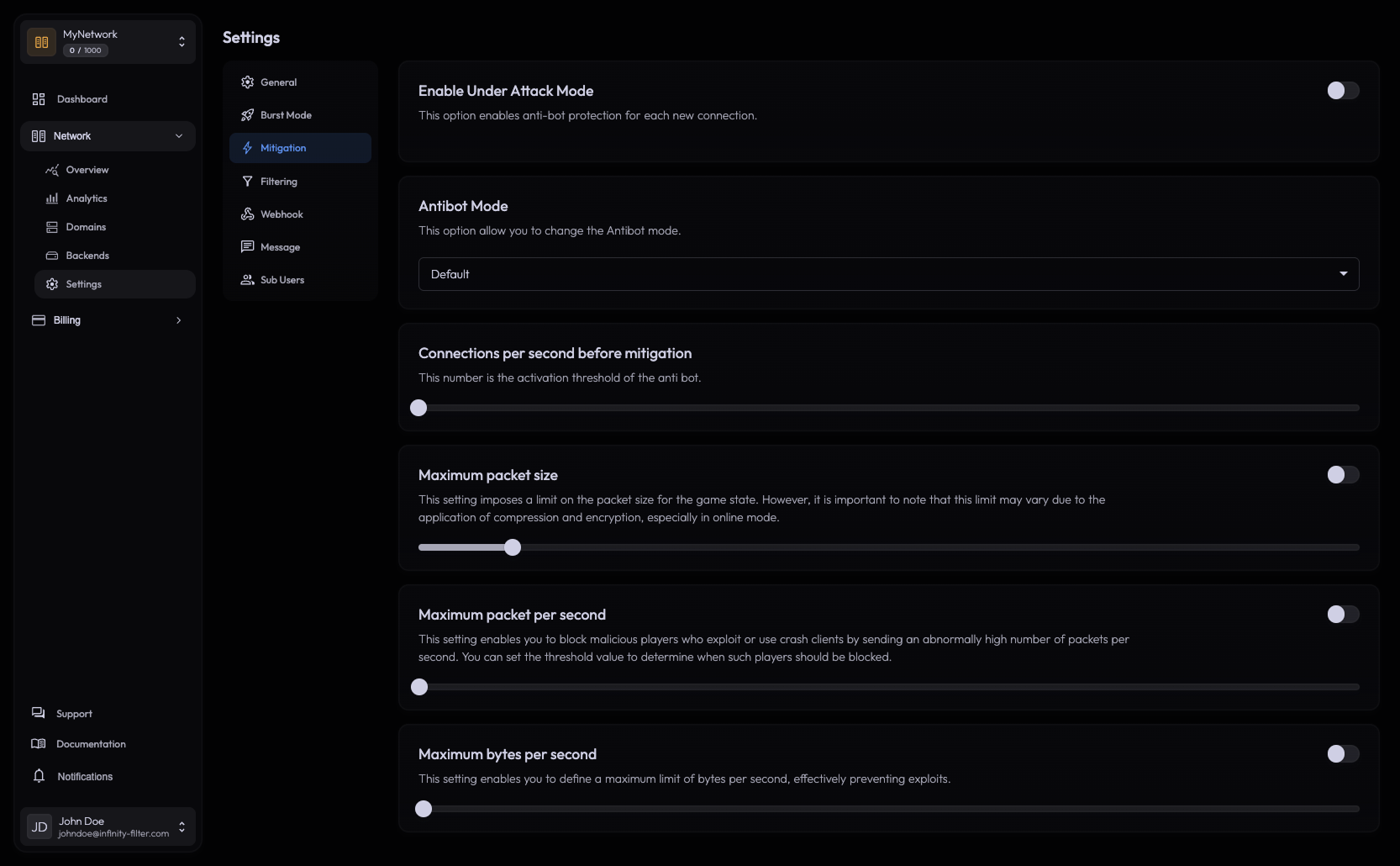
Under Attack mode
A toggle plus a duration select. When on, the network applies the strictest mitigation policy:
- Whitelist mode is enforced — only IPs on the network’s whitelist (or recognised players) can connect.
- The CPS slider is locked while Under Attack mode is active — the threshold is set to its strictest preset.
- The kick message customised in Messages → Mitigation is shown to non-whitelisted players.
Use cases:
- You’re actively under attack and want to keep your existing player base protected while bots are dropped at the edge.
- You’re cutting a release / event window where you only want a known list of testers to connect.
Antibot Mode
A select with three values:
Off No antibot challenge. Connections are accepted as-is (still subject to L3/L4 mitigation upstream).
Default A basic rejoin check. The first connection is challenged with a quick reconnect prompt; real clients pass instantly.
Hardcore Redirects players to a web verification challenge. The strongest antibot, but requires Under Attack mode to be on.
CPS slider — Connections per second before mitigation
The slider sets the per-network CPS threshold above which Infinity-Filter starts applying antibot mitigation.
- Minimum and default: 5 CPS. Below this rate, connections flow normally.
- Above the threshold, the antibot mode kicks in until the rate drops back below.
The slider is locked when Under Attack mode is on — Under Attack uses its own stricter preset.
Packet-rate caps
Three numeric caps you can tune for the network. All three are anti-abuse measures.
Maximum packet size Drop packets larger than this. Useful against amplification or oversized-packet abuse.
Maximum packets per second Drop per-IP packet floods above this rate. Defaults are tuned for normal Minecraft traffic.
Maximum bytes per second Drop per-IP byte floods above this rate. Catches large-payload abuse.
Mitigation messages
Each mitigation behavior has a kick message that you can customize:
- Under Attack — message shown to non-whitelisted players during Under Attack mode.
- Filtering — message shown when country / ASN / Anti-VPN / whitelist blocks a connection.
- Anti-Bot — message shown when the antibot rejects.
Configure them in Messages.
What’s next
Last updated: May 28, 2026