Anti-VPN
Block players connecting from VPNs and proxy services at login.
Anti-VPN blocks players connecting from VPN and proxy services. It is off by default and must be enabled per network.
Where to find it
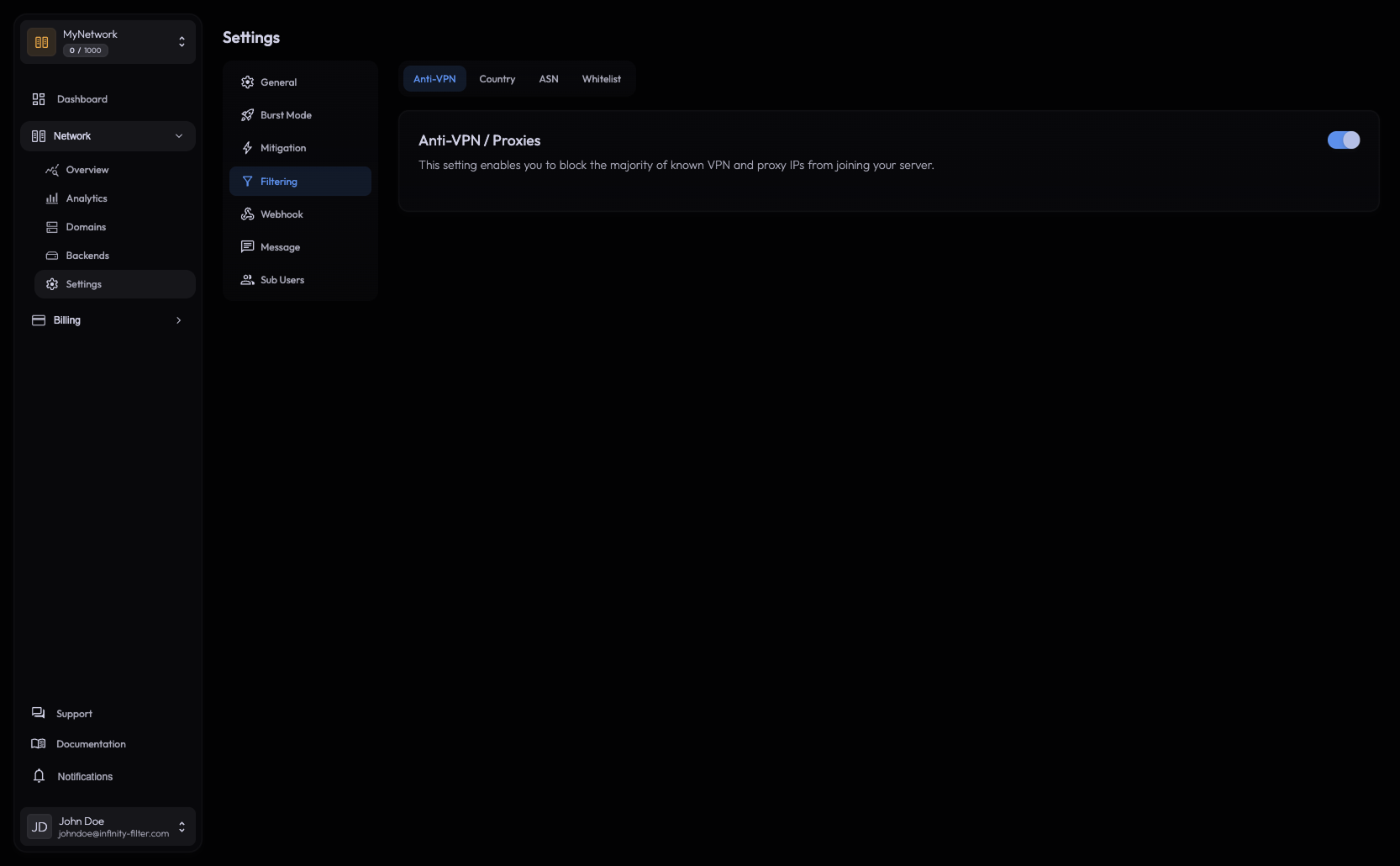
Open Network → Settings → Filtering → Anti-VPN (the default tab of Filtering).
How it behaves
Blocks login only Server pings are not affected — the server keeps appearing online in the launcher. Only the login attempt is rejected.
Off by default Anti-VPN has to be enabled explicitly per network.
Database-backed IPs are matched against a continuously updated database of known VPN, proxy and data-center ASNs.
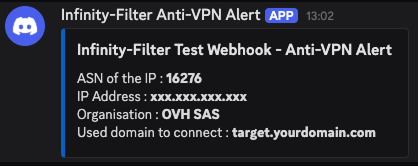
Discord webhook Each block can fire a Discord notification — see Webhooks → Anti-VPN.
What it can’t catch
Residential VPN/proxy services route through real residential ISPs and look identical to genuine home players. Anti-VPN does not catch them. If a specific ISP range is abusive, support can deny-list it backend-side — open a ticket on our Discord.
Allowlisting
There are two layers of allowlisting:
- Per-IP — done in Filtering → Whitelist. A whitelisted IP bypasses Anti-VPN.
- Per-ASN (whole ISP) — done by support. Adding an ASN to the global allowlist unblocks every IP in that range. Useful when a legitimate ISP (or a specific co-working space / school) is incorrectly flagged.
Webhook on each block
A Discord webhook can be configured to post each Anti-VPN block, with the player’s IP, country and ASN. See Webhooks.
When to combine with Country/ASN filtering
Anti-VPN catches the bulk. For more targeted control:
- Use Country filtering to keep a known abusive country out entirely (regardless of VPN signal).
- Use ASN filtering to block specific data-center ASNs (e.g. a cloud provider routinely used by bots).
Combining these catches slow bots that fall below the antibot CPS threshold — Anti-VPN catches the VPN exits, Country/ASN catches the patterns Anti-VPN misses.
Customizing the message
The kick message shown to blocked players is configured in Messages → Filtering. See Messages.
What’s next
Last updated: May 28, 2026