Burst mode
Temporarily exceed your plan's player limit during events and launches.
Burst mode lets you temporarily exceed the player cap of your plan for a set time each month. Useful for event days, launches, or any expected surge without upgrading the plan permanently.
The burst quota is measured in hours/minutes, resets monthly, and cannot be topped up ad-hoc — plan accordingly.
Where to find it
Open Network → Settings → Burst Mode.
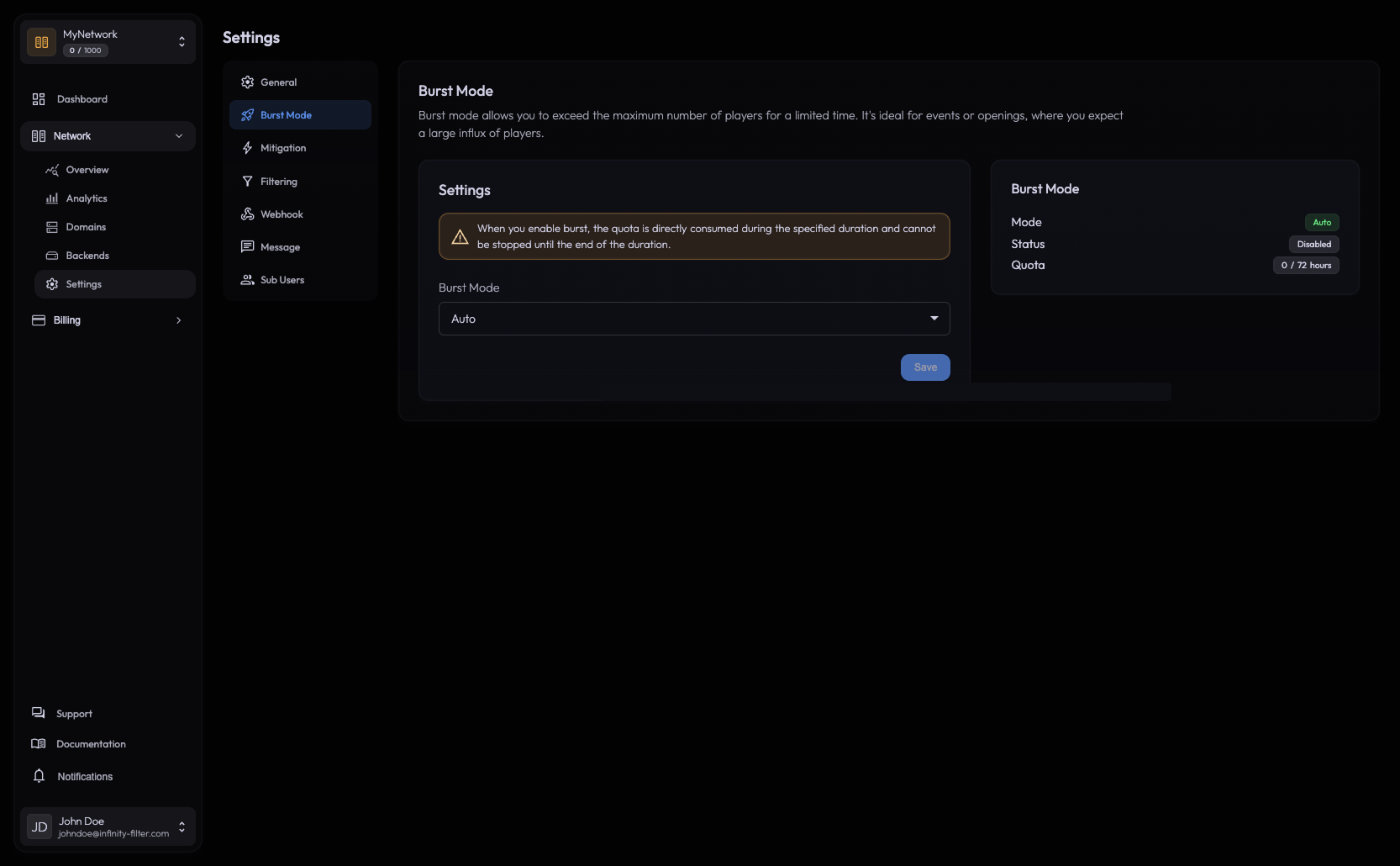
The three modes
AUTO — the burst activates automatically for 30 minutes at a time whenever the live player count crosses the plan limit. It renews automatically while the count is still above the limit.
This is the right choice for unpredictable surges. You’ll never miss a player to a hard cap as long as quota remains.
ON — the burst is active right now for the duration you pick. Useful for a scheduled event where you know exactly when traffic spikes.
Pick a duration from the panel and confirm. The burst stays on for that whole window, even if the player count temporarily drops below the plan limit.
OFF — burst is disabled. Players above the plan limit will be turned away.
This is the safe default if you’d rather hard-cap and let a human decide whether to spend burst budget.
How the metric works
- Burst evaluates instantaneous concurrent players, not a moving average. A spike to 250 players when your plan caps at 200 will trigger burst (in AUTO) immediately.
- In AUTO, the burst kicks in ~2–10 s after the player count crosses the plan limit.
- In AUTO, once active, it runs for 30 minutes and renews automatically while the count is still over the limit.
- The hours quota only ticks down while players exceed the plan limit. If the count drops back under the plan cap during an active 30-minute window, the burst window continues but the quota doesn’t burn.
Reading the live status card
The right-hand card on the Burst Mode page shows:
Mode Current mode.
Enabled Whether burst is currently active right now.
Current player limit The effective limit while burst is active.
Remaining quota How many burst hours/minutes you have left for the month.
Last burst When the last burst window opened.
End at When the current burst window expires (only while active).
Quota reset
The quota resets at the start of every month. You can’t accumulate quota across months — unused hours are not banked.
When to upgrade instead
Burst mode is designed for openings and events — moments when you expect to temporarily exceed the plan’s player limit (server launch, a wipe, a community event, a streamer drop). Use it whenever the surge is short and predictable.
If you find yourself routinely spending most of your burst budget every month, those aren’t bursts anymore — they’re your baseline. The right move is then a plan upgrade that gives you the persistent slot count, so you stop hitting the hard cap as soon as quota runs out.
Open the Plans page from the sidebar to compare tiers.
What’s next
Last updated: May 28, 2026