General settings
Network name, player limiter and offline MOTD toggle.
The General tab of a network’s settings holds the basics — the network’s display name, the player cap and the offline MOTD toggle.
Where to find it
Open Network → Settings → General.
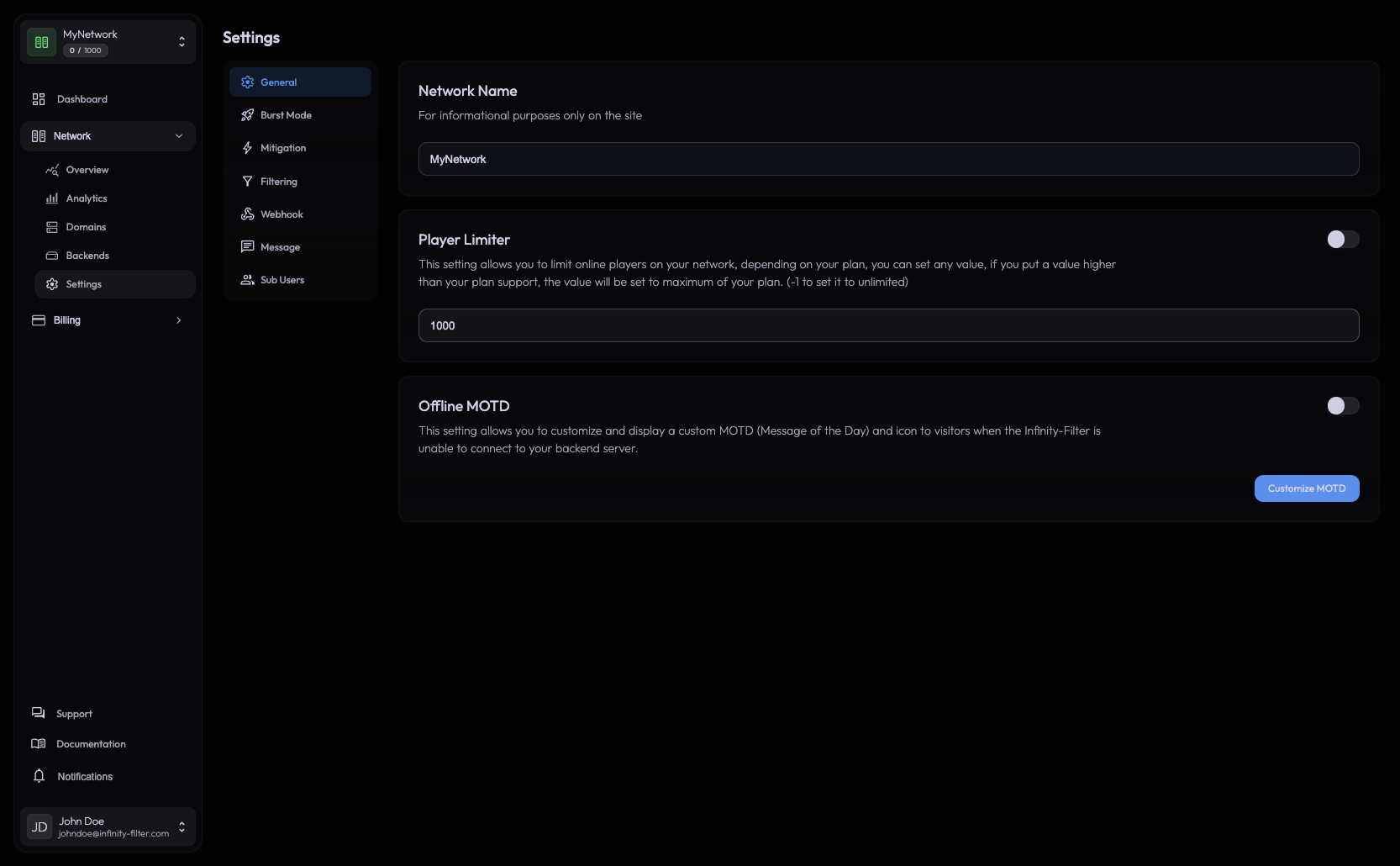
It is the default tab in the Settings sub-page; the vertical left nav on the Settings page lets you jump to the other tabs (Burst Mode, Mitigation, Filtering, Webhook, Message, Sub Users).
Player Limiter
A toggle plus a numeric input. When the toggle is on, the network rejects new connections once the limit is reached.
Player Limiter toggle boolean When off, no in-IF cap applies. The plan-level cap still does.
Player limit number The cap value. Set to -1 for unlimited (subject to plan limits).
If you need to temporarily exceed the plan cap, use Burst Mode.
Offline MOTD
A toggle plus a Customize MOTD button that jumps to Messages → Offline.
When the toggle is on, Infinity-Filter answers server pings with a configurable custom MOTD whenever the backend is unreachable — instead of the default protected fallback message. This is useful during maintenance: players see a clear message like “Down for maintenance, back at 18:00” instead of an opaque error.
See Messages for the full customization.
What’s next
Last updated: May 28, 2026