ASN filtering
Block traffic from specific autonomous systems — data-center ISPs, abusive ranges, VPN providers.
The ASN filter lets you block traffic from specific autonomous systems (ASNs). Useful for blocking data-center ISPs commonly used by bot farms, or VPN providers that Anti-VPN’s database doesn’t catch (yet).
Where to find it
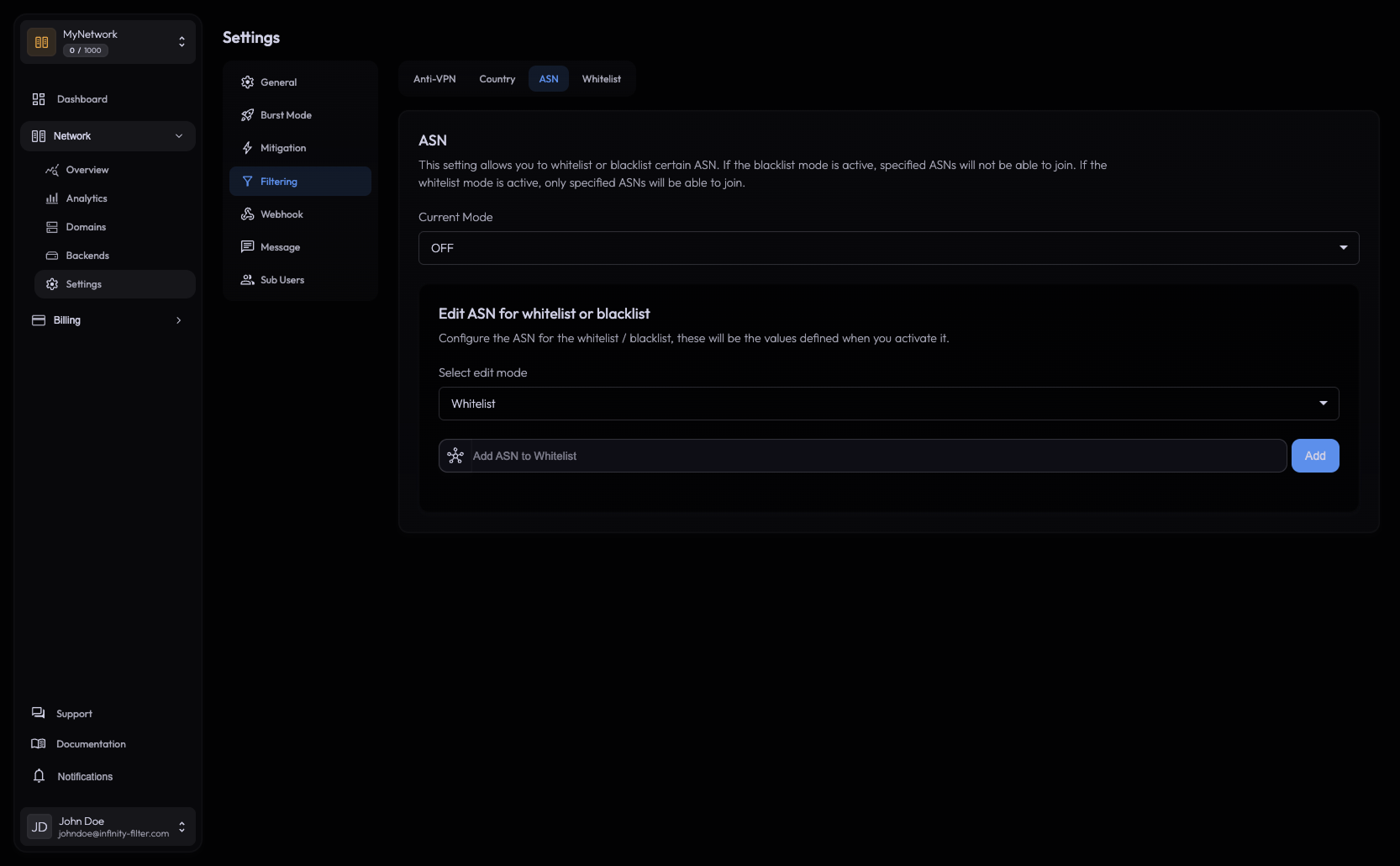
Open Network → Settings → Filtering → ASN.
What is an ASN?
An autonomous system is the network-routing unit a chunk of IP space belongs to. Every cloud provider, ISP and major VPN service has one or more ASNs. Blocking an ASN blocks every IP routed through it.
Examples of frequently blocked ASNs:
- AS14061 — DigitalOcean (commonly used by bot farms)
- AS16509 — Amazon AWS
- AS396982 — Google Cloud
- AS16276 — OVH (mind the false positives — some legitimate users run servers there)
You can look up the ASN of an IP at bgp.he.net or via whois.
How to add an ASN
ASNs are identified by a number (e.g. OVH is AS16276). The panel only takes the number, without the AS prefix.
So for OVH you’d type 16276, for Amazon AWS 16509, for DigitalOcean 14061, and so on. Confirm to add it to the block list.
The list is editable in-place — click the delete icon on a row to lift the block.
When to use it
- A specific cloud provider is the source of repeated abuse. Block its ASN. You will also catch any legitimate user running a Minecraft client on a VPS in that cloud, which is rare but not impossible — be ready to whitelist individuals.
- A VPN provider isn’t caught by Anti-VPN yet. Add its ASN directly. The Anti-VPN database is updated regularly, but ASN filtering gives you a sharper tool when you know exactly who you want to block.
- You serve a niche audience and want to keep all data-center traffic out. Block the major cloud ASNs in one go.
Trade-offs
ASNs cover large IP ranges. Blocking an ASN is a blunt instrument — entire ISPs may use the same one. Before blocking a residential ISP’s ASN, consider:
- Are you certain the abuse is concentrated in that ASN, or is it scattered across many?
- Could Country filtering achieve the same goal with less collateral?
- Could the Anti-VPN catch it at the IP level?
For ASN-level allowlists at the support level (whole ISPs unblocked from Anti-VPN), open a ticket on the Discord — that’s done backend-side.
Customizing the message
The kick message shown to blocked players is configured in Messages → Filtering. See Messages.
What’s next
Last updated: May 28, 2026